

Zoom Alternatives: How to Turn Webinars Into Sales Without Using Zoom
- Rick Amico
- Jan 25
- 8 min read
If you’ve been using Zoom for webinars and wondering why attendees aren’t converting into customers, you’re not alone. Zoom is a strong tool for meetings and collaboration, but when it comes to turning webinars into sales, it was never designed with conversion in mind. That’s why more businesses are researching Zoom alternatives that help presenters move from “watching” to “taking action” without adding friction.
In this guide, we’ll break down why traditional webinar tools fall short for selling, what actually drives conversions, and how interactive webinar platforms help you create a more measurable, more actionable experience—especially if you’re running a team-based selling motion and need consistency across multiple presenters.
Why Zoom Falls Short for Webinar Sales
Zoom excels at what it was built for: video conferencing and virtual meetings. However, when you try to use it as a sales tool, several limitations become apparent.
No native sales features. Zoom does not offer built-in tools for driving purchases during a presentation. There are no shoppable elements, no integrated checkout processes, and no way to capture buying intent in real time.
Limited engagement tracking. While Zoom provides basic attendance data, it lacks the granular analytics needed to understand which attendees are ready to buy versus those who need more nurturing.
One-size-fits-all experience. Every attendee sees the same static presentation. There is no way to personalize the experience based on viewer behavior or interest level.
Passive viewing environment. Zoom webinars often become one-way broadcasts where attendees watch passively. This format does not encourage the active engagement that leads to conversions.
What Actually Makes a Webinar Convert
Research shows that successful webinar conversions follow predictable patterns. Understanding these patterns is the first step toward improving your results.
The 80/20 content rule works. Structure your webinar so that 80% focuses on delivering practical, valuable content while 20% addresses your offer. For a 60-minute webinar, this means spending approximately 48 minutes on education before transitioning to your pitch. The key is presenting your product as the natural next step for implementing what attendees just learned.
Specific calls-to-action boost conversions by 161%. Vague CTAs like "learn more" underperform compared to specific, actionable prompts. Timing matters too. You can unveil your CTA at the end for exclusivity, deploy multiple targeted CTAs throughout the presentation, or display a static CTA from the start for clarity.
Time-sensitive offers create urgency. Phrases like "Enroll in the next 24 hours to receive a 20% discount" leverage psychological urgency without feeling aggressive or pushy.
Most sales happen during follow-up. The presentation itself is just the beginning. Post-webinar sequences, retargeting campaigns, and segmented outreach based on engagement levels drive the majority of conversions.
Features to Look for in Zoom Alternatives for Selling
When evaluating webinar platforms designed for conversion, look for these essential capabilities:
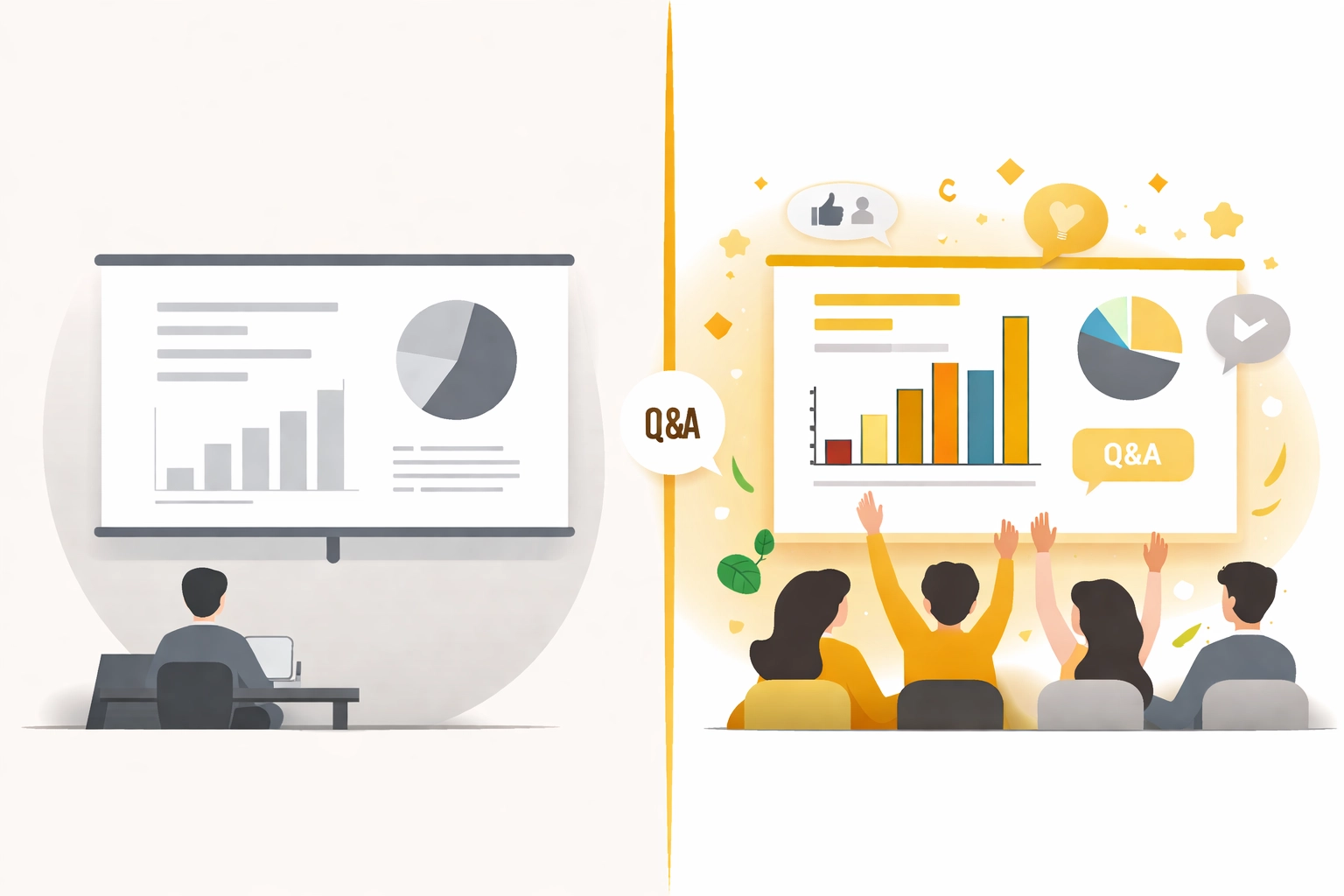
Interactive touch screen experiences (not just screen share). The biggest shift is moving from “presenter talks, audience watches” to “presenter guides, audience interacts.” Modern interactive platforms let you build clickable experiences where attendees can open resources, jump to the section they care about, and take action inside the webinar—without hunting for links in chat or waiting until the end.
Clickable CTAs that stay connected to the presentation. High-performing webinar funnels make the next step obvious. Look for persistent or timed CTAs (e.g., “Book a consult,” “Start trial,” “Get the checklist”) that can appear at the exact moment intent spikes—like right after a case study, pricing explanation, or objection-handling segment.
Smart invite links with tracking (source, person, and performance). Advanced platforms generate unique invite links so you can attribute attendance and actions to a specific campaign, partner, or rep. That matters when you want to answer practical questions such as: Which invite source brought the most qualified attendees? Which rep’s audience clicks most often? Which segment disengages during the offer?
Real-time engagement tools that create “micro-commitments.” Polls, Q&A, and chat are helpful, but the best interactive features drive small actions that indicate buying intent. Examples include: tapping “I want the template,” choosing the biggest challenge from a poll, or selecting which solution path they want to see. Those micro-commitments make follow-up more relevant and make prospects feel seen rather than marketed to.
Integrated conversion pathways. The best Zoom alternatives for selling include built-in mechanisms to capture bookings or sign-ups during the presentation itself, not after attendees leave and forget. The goal is simple: shorten the distance between interest and action.
Team deployment capabilities for team-based selling. If you’re supporting multiple reps, consultants, or “platform partners,” you need more than a single host account. Look for role-based access, reusable webinar templates, brand-locked sections (so compliance and messaging stay consistent), and the ability for each presenter to personalize their CTA destination or calendar link. This is what turns one great webinar into a repeatable sales asset across a team.
Zoom vs Interactive Webinar Platforms: A Comparison
Feature | Zoom | Interactive Webinar Platforms |
Video conferencing | Excellent | Good |
Native sales tools | None | Built-in |
Attendee tracking | Basic | Advanced behavioral data |
Interactive elements | Limited polls/chat | Clickable presentations, CTAs |
Conversion optimization | Not designed for sales | Purpose-built for conversion |
Team deployment | Manual setup required | Scalable across teams |
Post-webinar automation | Third-party required | Often integrated |
Personalization | None | Behavior-based experiences |
The distinction is clear: Zoom is a communication tool, while interactive webinar platforms are sales tools. Choosing the right category of platform for your goals makes all the difference.
How to Structure Your Webinar for Maximum Conversions
Once you have the right platform, structure becomes critical. Here is a proven framework for webinars that sell:
Open with a hook (5 minutes). Start with a compelling problem statement or surprising statistic that validates why attendees made the right choice to join. This sets the tone and builds anticipation.
Deliver educational value (40-45 minutes). Teach something genuinely useful. Share frameworks, case studies, or step-by-step processes that attendees can implement immediately. The more value you provide, the more trust you build.
Transition naturally (5 minutes). Recap the key points and bridge to your offer by positioning it as the logical next step. Avoid abrupt shifts that feel salesy.
Present your offer (10-15 minutes). Clearly explain what you are offering, who it is for, and what results attendees can expect. Address common objections and include social proof.
Close with urgency and clarity (5 minutes). Provide a specific, time-sensitive CTA and make the next steps crystal clear.
Post-Webinar Follow-Up Strategies That Drive Sales
Remember: most conversions happen after the webinar ends. Your follow-up strategy is where the real selling takes place.
Segment based on engagement. Viewers who watched 85% of your presentation should receive different follow-up than those who left during the pricing discussion. Use your platform analytics to create tailored outreach paths.
Send post-webinar surveys. Brief surveys help you understand objections, gauge interest levels, and identify what content resonated most. This intelligence shapes future webinars and sales conversations.
Automate your sequences. Manual follow-up is not scalable. Set up automated email sequences that nurture leads based on their engagement level and responses. Maintain momentum without requiring constant manual effort.
Retarget with complementary content. Not everyone is ready to buy immediately. Retargeting campaigns that deliver additional value keep your solution top of mind until prospects are ready to convert.
Zoom Alternatives for Team-Based Selling: What Matters When More Than One Person Presents
For business owners and sales leaders evaluating webinar tools, the platform choice extends beyond personal use. If multiple people need to present, follow up, and stay on-message, you’ll want Zoom alternatives that support a real operating system—not just a video room.
Scalable team deployment (repeatable, not rebuilt). A common failure point with Zoom-based selling is that each rep ends up with their own slide deck, their own links, and their own “version” of the pitch. Interactive platforms built for selling typically support reusable webinar rooms, standardized assets, and templates that can be cloned across a team. That means a new rep can launch a proven webinar format quickly, without weeks of rebuilding or guesswork.
Role-based access and brand consistency. Team-based selling often includes a mix of leaders, presenters, chat moderators, and operations support. Look for a platform that supports permissioned roles so the right people can run the session without accidentally changing core messaging. It also helps to lock certain sections (branding, legal language, guarantee wording, pricing slides) while still giving each presenter room to personalize their story.
Personalized CTAs without breaking the experience. The ideal setup allows each presenter to use their own booking link or CTA destination while keeping the attendee experience consistent. That solves a real-world problem: one team, one webinar, many calendars. It also makes attribution easier when you’re measuring which presenters and campaigns generate actual pipeline.
Built-in tracking that supports coaching. The most useful analytics go beyond “who attended.” Look for behavioral indicators such as CTA clicks, moments of drop-off, and which interactive elements were used. Sales leaders can use this data to coach delivery (where people lose interest), refine the deck (where confusion happens), and improve objection-handling (where clicks spike but sign-ups don’t).
Client-facing platform options. If you run an agency, consulting practice, or service business, an interactive webinar platform can also become a client-facing deliverable: a standardized way to host webinars, enrollments, trainings, or product demos on behalf of clients—without asking them to stitch together extra tools.
If you’re building a team-based selling motion, you can learn more about the Pxch platform on the MyPitch homepage.
Making the Switch From Zoom: What to Expect (and How to Avoid a Messy Rollout)
Transitioning from Zoom to an interactive webinar platform does not have to be complicated, but it does require a slightly different mindset: you’re not just moving your video call—you’re upgrading the selling environment around it. Most modern platforms offer intuitive interfaces and onboarding support to get you up and running quickly.
Start by identifying your primary conversion goal. Are you booking consultations, driving sign-ups, or qualifying leads for a sales conversation? Your goal determines which CTAs you place, when they appear, and what you track.
Next, migrate your content with interactivity in mind. Instead of treating your deck as something people simply watch, turn it into a guided path:
Add clickable CTAs at key moments (problem, solution, proof, offer)
Include a “resources” area for downloads or next steps
Use quick polls to segment the room so your follow-up is more relevant
Map which actions signal intent (clicks, questions, resource taps)
Then plan the operational side for teams. If more than one person presents, decide how rooms are cloned, who owns the master template, and how presenters personalize their CTA destinations. This is also where smart invite links matter—consistent tracking makes it easier to see which presenter or campaign drove outcomes.
Finally, test before you go live. Run a practice session to ensure everything works smoothly. Verify your analytics view, confirm your CTAs function correctly, and make sure every presenter knows how to switch between standard and interactive moments without disrupting flow.
The Bottom Line on Webinar Sales Without Zoom
Zoom serves its purpose well, but that purpose is not sales conversion. When your goal is turning webinar attendees into customers, you need tools designed for action: interactive CTAs, clearer intent signals, and tracking that supports smarter follow-up.
Interactive webinar platforms offer the engagement features, behavioral analytics, and conversion pathways that help transform passive viewers into active prospects. Combined with proven strategies like the 80/20 content rule, specific CTAs, and segmented follow-up, these platforms give you a more reliable way to turn presentations into pipeline.
If you’re evaluating Zoom alternatives for selling or engagement, it may be worth booking a demo to see how an interactive webinar platform supports conversion.
Comments